Industry
Retail – Mom & Baby Care Products
Client
BBS Ltd x Bebubam
Bebubam: Scalable internal ERP for a nationwide retail chain

Intro
Bebubam is a rapidly expanding Vietnamese retail chain specializing in mom and baby care products, operating dozens of physical stores nationwide alongside a centralized e‑commerce platform. As the business grew, operational complexity increased across inventory management, supply chain operations, HR, accounting, customer management, and omnichannel sales fulfillment.
BBS Ltd. commissioned a custom, fully integrated ERP system to replace fragmented legacy tools and manual processes. The goal was to build a single source of truth that could support both in‑store and online operations while remaining usable for non‑technical staff performing high‑volume daily tasks.
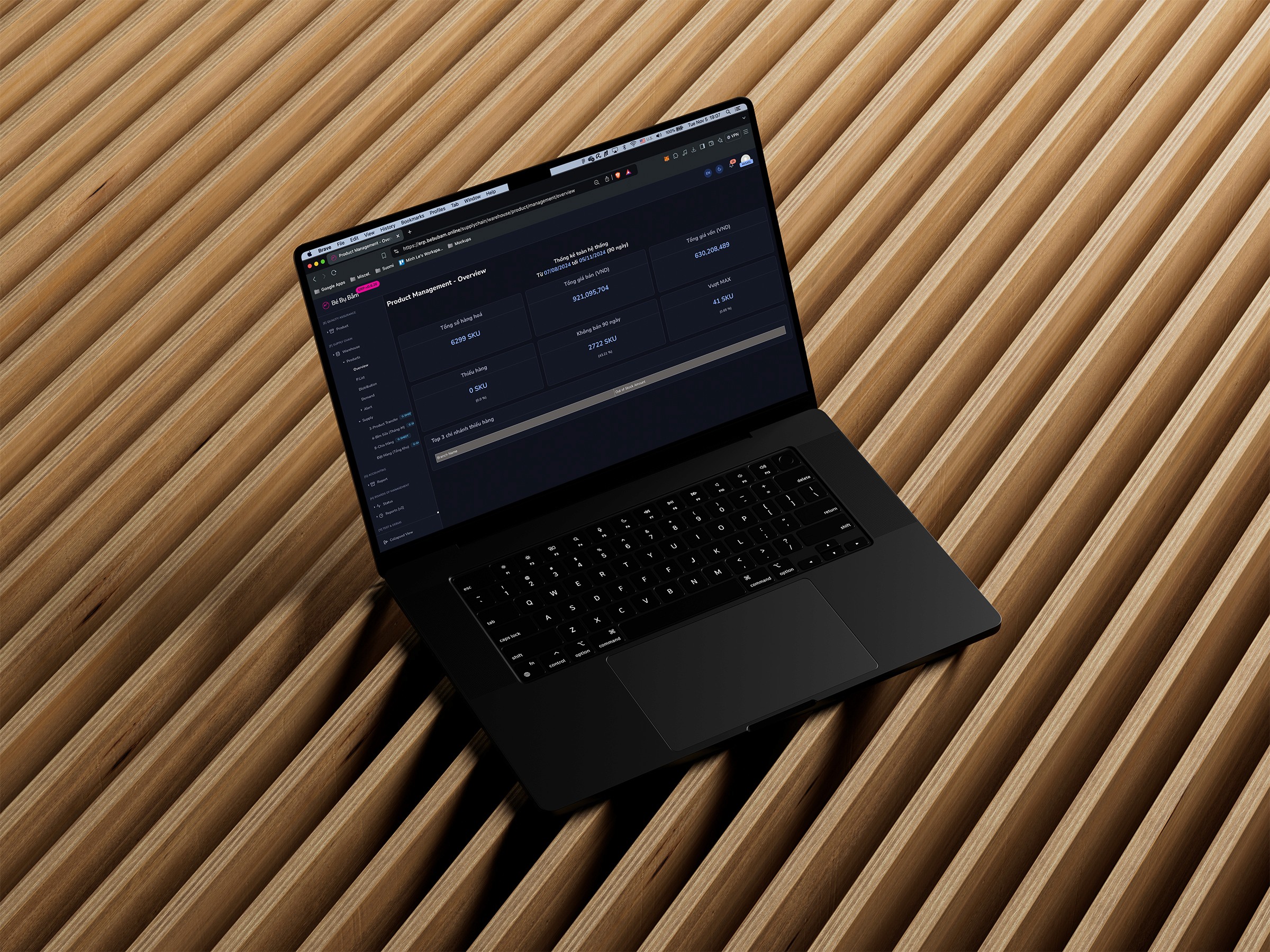
This case study focuses on the UX/UI design of a complex internal ERP, emphasizing scalability, role‑based usability, and real‑world retail constraints.
Challenges
Designing an ERP for Bebubam presented challenges that went far beyond visual design. This was a business‑critical internal system where errors could directly lead to financial loss, inventory mismatches, or operational downtime.
Highly Diverse User Roles
Users ranged from store staff and warehouse operators to finance teams and HQ executives. Each with vastly different mental models, responsibilities, and technical confidence.
Operational Complexity at Scale
The system needed to handle:
Hundreds of SKUs
Multiple warehouses and store locations
Simultaneous online and offline sales
Inter‑branch inventory transfers
Accounting and compliance workflows
Data‑Dense Interfaces
ERP workflows require exposure to large volumes of structured data while maintaining speed, clarity, and accuracy.
Change Aversion
Many users were migrating from Excel‑based or semi‑manual processes. Poor UX decisions could significantly slow adoption and increase training costs.
Performance & Reliability Expectations
The system needed to remain usable and responsive even when rendering large datasets or simultaneous operations across departments.
Solution
The proposed solution was a custom ERP system designed around Bebubam’s real operational workflows, rather than adapting users to an off‑the‑shelf product. The UX approach centered on clarity, consistency, and role‑based control, ensuring that each user experienced only what they needed, nothing more, nothing less.
1. Modular System Architecture
The ERP was designed as a collection of interconnected but self‑contained modules, each following a shared interaction pattern:
Inventory & Supply Chain
HR & Payroll
CRM & Customer Management
Accounting & Finance
Marketing & Promotions
Quality Assurance
Order & Sales Management (POS + E‑commerce)
This modular approach allowed:
Easier onboarding
Scalable feature expansion
Reduced cognitive load when switching contexts
2. Role‑Based Access & Interface Logic
A core UX feature was a granular role‑based access model.
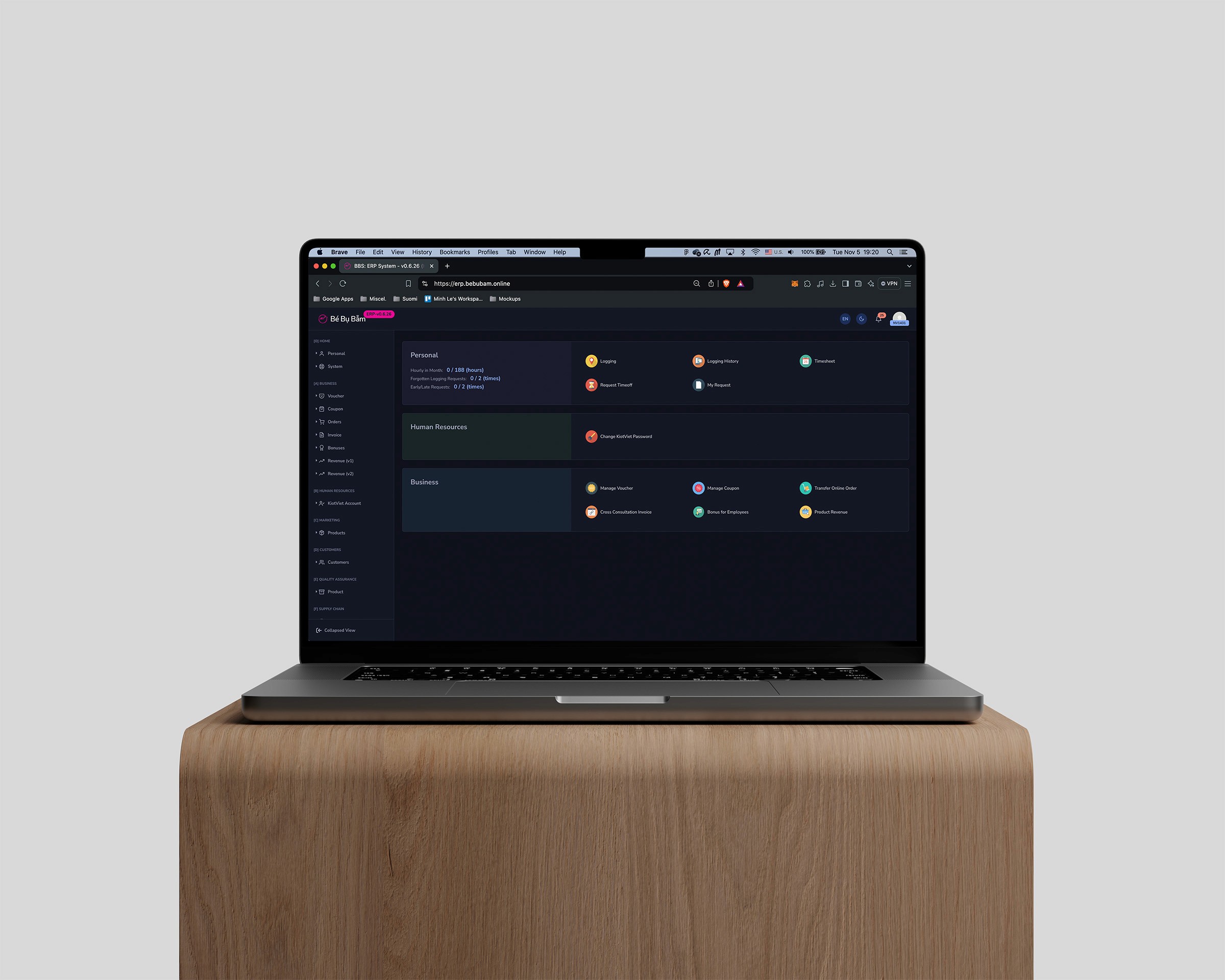
Navigation dynamically adjusts based on user permissions
Sensitive actions (e.g., financial approvals) are invisible to unauthorized roles
Dashboards surface only role‑relevant KPIs
Disabled states visually communicate restricted actions instead of relying on error messages
This approach minimized user error while increasing confidence and autonomy.
3. Desktop‑First, Data‑Dense UI
Given the nature of ERP work, the interface was intentionally optimized for:
Large screens
Long usage sessions
High information density
Key design decisions included:
Persistent left‑side navigation for fast module switching
Structured data tables with fixed headers for long scrolling
Consistent page layouts across modules
Minimal decorative UI to prioritize readability and performance
4. Workflow‑Driven Interaction Design
Every major feature was designed around real operational workflows, not abstract feature lists.
Example: Inventory Management
Select store or warehouse
View real‑time stock levels
Identify discrepancies or low‑stock items
Trigger replenishment or internal transfers
Track approval and fulfillment status
UX patterns such as inline actions, confirmation states, and status indicators ensured users always understood:
What action they performed
What the system is doing
What happens next
5. Error Prevention & System Feedback
Given the business‑critical nature of ERP actions:
Destructive actions require confirmation
Input validation happens in real time
Success, warning, and error states are clearly differentiated
Loading and processing states communicate system status
This reduced costly mistakes and increased trust in the system.
Impacts
Although this ERP is an internal system, post‑deployment evaluation and stakeholder feedback indicated substantial operational improvements.
~40% reduction in task completion time for common inventory and reporting workflows
~60% decrease in inventory reconciliation errors due to centralized, real‑time data
~35% reduction in onboarding and training time for new staff
Improved cross‑department reporting accuracy, enabling faster decision‑making
Higher system adoption rate, with minimal reliance on external tools like spreadsheets
More importantly, the ERP provided Bebubam with a scalable operational foundation capable of supporting continued retail and e‑commerce expansion.