Industry
Metals & Mining
Client
First Quantum Minerals Ltd.
CobreCapture: Mine site data capture interfaces

Intro
CobreCapture is a multi‑platform digital data capture system designed for Cobre Panamá, a subsidiary of First Quantum Minerals Ltd. (FQML). Developed by Rovjok, the product replaces fragmented, paper‑based and Excel‑driven workflows with a unified, scalable, and auditable digital solution.
The platform consists of a web application and a tablet‑optimized application, built using the Microsoft Power Platform (Power Apps, SQL, Power BI) ecosystem. Rather than a monolithic tool, CobreCapture is architected as a suite of four specialized mini‑applications, each tailored to the workflows of a specific operational team on the mine site:
DEA – Data Entry Application
MME – Monitoring & Measuring Equipment Application
TMF – Tailings Management Facility Application
PPA – Process Plant Application
Each app supports distinct workflows, data models, validation rules, and approval processes, while sharing a consistent design system, navigation patterns, and reporting infrastructure.
My role spanned end‑to‑end UX/UI ownership, including requirements discovery, interaction design, visual design, usability testing, stakeholder workshops, and post‑deployment optimization across all four applications.
Challenges
Highly Complex, Domain‑Specific Workflows
Mining operations generate large volumes of time‑critical, high‑risk operational data, often captured by different teams using their own terminology, procedures, and legacy tools. Each team (DEA, MME, TMF, PPA) had:
Distinct data structures and validation logic
Different frequencies of data entry (hourly, shift‑based, daily)
Unique error tolerance levels (some data points were safety‑critical)
Very low tolerance for latency or UI friction
Designing a single system that could support all teams without overwhelming users required deep domain understanding and careful modularization.
Transition from Paper and Excel to Digital
Most workflows relied on shared Excel files, physical forms, and manual approvals, creating several UX and operational issues:
High risk of data duplication and manual errors
No real‑time visibility or validation
Versioning conflicts in shared spreadsheets
Delayed reporting and retrospective decision‑making
The UX challenge was not only replacing these tools, but outperforming them in speed, trust, and usability, especially for users who were not digitally native.
Harsh, On‑Site Usage Conditions
The applications were used:
On production floors and open mine sites
On tablets and laptops, often with gloves or limited dexterity
In time‑pressured environments where errors could be costly
This demanded:
Large touch targets and high‑contrast UI
Minimal navigation depth
Offline‑tolerant mental models
Clear error handling and confirmation states
Multilingual & Cross‑Team Consistency
The system had to support English and Spanish, while ensuring:
Terminology accuracy across languages
Consistent meaning for safety‑critical labels
Shared interaction patterns across all apps
In parallel, leadership required standardized data structures for downstream Power BI reporting, which introduced additional constraints at the UI layer.
Solution
Rather than designing one oversized application, CobreCapture was intentionally structured as four focused Power Apps, each optimized for its users while sharing:
A common navigation framework
A standardized table‑driven data entry pattern
Reusable form components and validation behaviors
A single design system (color, spacing, typography, iconography)
This approach balanced cognitive simplicity for users with technical scalability for developers and data teams.
1. DEA – Data Entry Application
The DEA app replaced a heavily manual Excel‑based system used to capture large volumes of operational data.
UX & UI Highlights
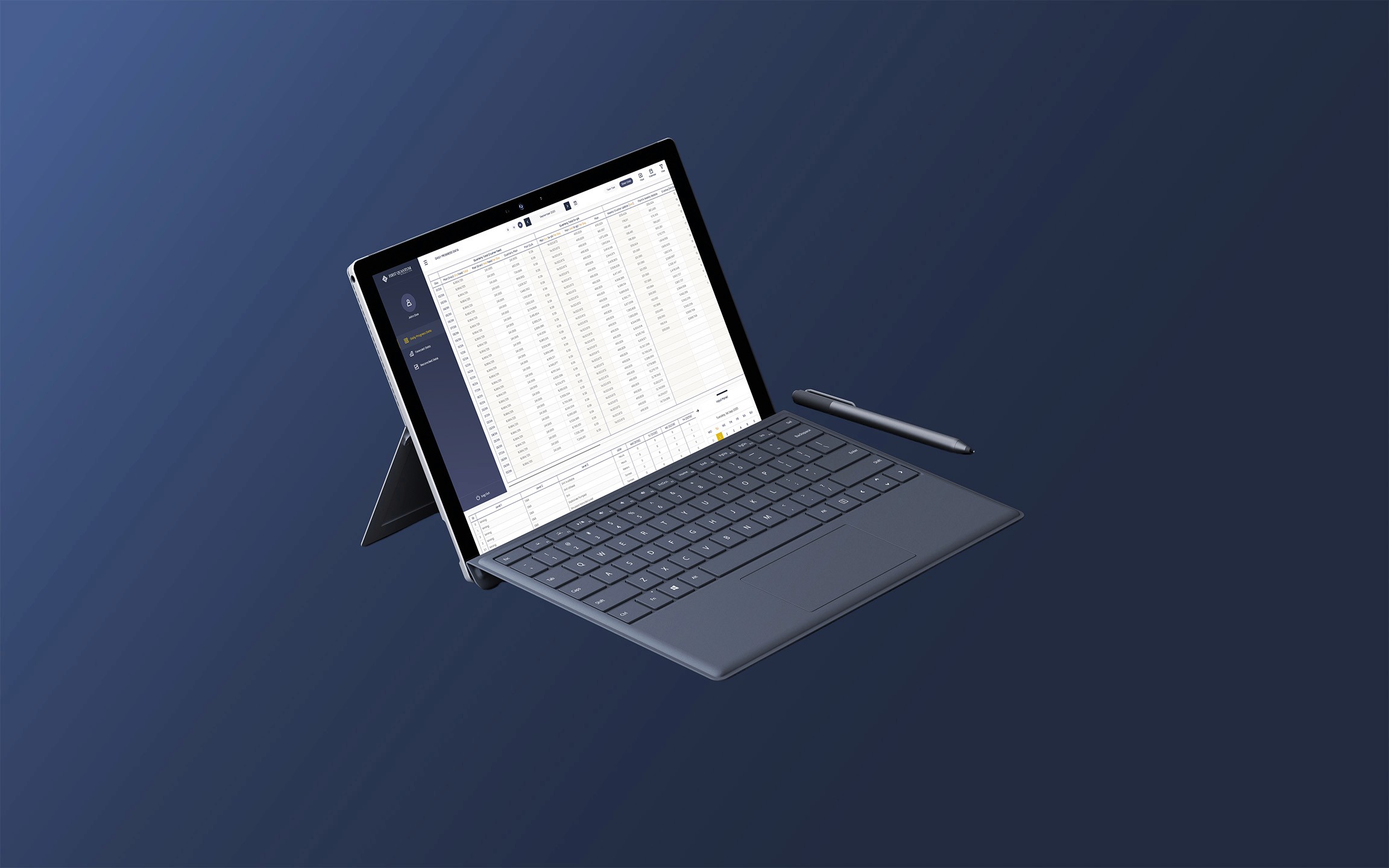
Dense, spreadsheet‑like tables optimized for keyboard and mouse efficiency
Inline editing and validation to reduce form switching
Date‑driven and status‑driven filtering for fast retrieval
Clear differentiation between Daily Progress Data, Forecast Data, and Reconciled Data
Design Rationale DEA users prioritized speed and accuracy over visual minimalism. The UI intentionally mirrors familiar spreadsheet patterns, reducing training time while adding digital safeguards such as validation rules, permissions, and auditability.
2. MME – Monitoring & Measuring Equipment Application
The MME app supports daily maintenance and inspection workflows for heavy mining equipment (e.g., T284, L2350, 4100 XPC, 777G).
UX & UI Highlights
Step‑based form flows to guide complex technical inspections
Image‑supported data entry (diagrams, reference photos, annotated visuals)
Multi‑stage workflows including submission, approval, and notification
Context‑aware fields that adapt based on equipment type
Design Rationale MME workflows are procedure‑driven and highly technical, so the UI emphasizes clarity, instructional context, and error prevention. Information is chunked into logical sections to reduce cognitive overload during long inspection routines.
3. TMF – Tailings Management Facility Application
The TMF app supports planning, surveying, quality control, and alerting across the tailings facility.
UX & UI Highlights
Multi‑module structure (Crushing, Surveying, Load & Haul, QC, Alerts)
Real‑time status visibility and exception handling
Explicit visual hierarchy to surface critical alerts
Bilingual support embedded at the system level
Design Rationale TMF users needed situational awareness and traceability. The interface balances detailed data capture with high‑level overviews, allowing users to move seamlessly between operational detail and performance monitoring.
4. PPA – Process Plant Application
The Process Plant App enables controllers to log ore call data on desktop and mobile devices.
UX & UI Highlights
Mobile‑first interaction patterns for on‑site usage
Fast entry flows optimized for short, frequent logging sessions
Clean separation between list views and detailed log views
Tight integration with SQL and Power BI for near real‑time reporting
Design Rationale PPA usage is continuous and repetitive, so the design minimizes interaction cost per entry. The UI emphasizes clarity, speed, and recoverability in case of mistakes.
Impacts
Operational Efficiency
CobreCapture replaced paper forms and shared Excel files with structured, digital workflows, significantly reducing manual data duplication and reconciliation. Real‑time data availability improved operational visibility for both site teams and leadership, enabling faster and more informed decision‑making.
Data Quality & Trust
Built‑in validation, approval flows, and role‑based access improved data accuracy and consistency across teams. Standardized data models enabled reliable Power BI reporting, while full audit trails strengthened compliance and accountability.
User Adoption & Scalability
Familiar interaction patterns and task‑focused interfaces lowered resistance to change and supported rapid adoption across operational teams. The modular architecture and shared design system allowed new workflows to be added incrementally while ensuring long‑term maintainability.
Strategic Value
CobreCapture evolved into a core operational platform that supports both day‑to‑day execution and strategic oversight. By aligning UX decisions with real‑world mining constraints, the solution delivered measurable efficiency gains, strengthened safety workflows, and established a scalable foundation for future digital initiatives.